Flex Paint 2.0 with Source Code

It’s surprising and somewhat humbling to find out which of my blog posts are the most popular. There are some posts that I spend days on and they end up only being read by a few people. Then there are others that are simple, short, and to be honest kinda boring that end up being read by tons of people. My original Flex Paint blog is one of those simple, short but highly viewed blogs. I would never have thought that out of all my blog posts that one would be read by so many. Since it’s almost two years old and presumably being used as a reference by many people, I thought it would be useful to update it to use the new Flash Player 10 FileReference API to eliminate the need to send the image to the server.

Here is the new version:

(source code)

Saving the drawn image with Flash Player 10 is as simple as:

        var bd:BitmapData = new BitmapData(canvas.width,canvas.height);
        bd.draw(canvas);
 
        var ba:ByteArray = (new PNGEncoder()).encode(bd);
 
        (new FileReference()).save(ba, "doodle.png");

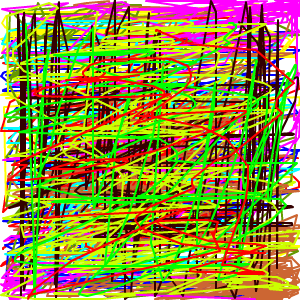
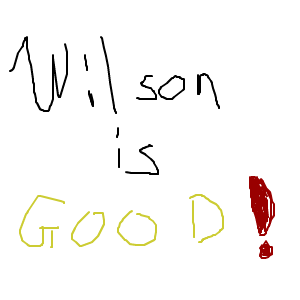
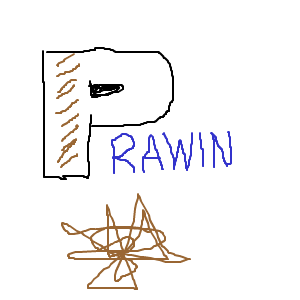
This reads the image client-side, encodes it, and then initiates a save dialog. Pretty simple stuff. The only downside is that using this new code I’ll no longer get to see the amazing things that people are drawing. Here are some of the most interesting drawings people made with the old version:

Let me know what you think about the new version!

This entry was posted in Flex. Bookmark the permalink. Post a comment or leave a trackback: Trackback URL.

12 Comments

  1. Dev
    Posted April 17, 2009 at 2:48 am | Permalink

    Excellent Work, Thanks for sharing….

  2. Pekuja
    Posted April 17, 2009 at 4:59 am | Permalink

    Hah, my blue faced scribbly man is one of the “most interesting” drawings? :-D
    Also, thanks for the original app. I needed something like that for a project and I’m new to Flash and Flex, so it really came in handy. I have to say though, the original saving method with the remote objects was pretty complex. Wouldn’t it be simpler to POST the image to a CGI script?

  3. Chinmay
    Posted April 18, 2009 at 12:56 am | Permalink

    good example…
    new Filereference API of fP10 is really awsomm…i was lookin for similar example of saving data on client side from flex n this would certainly help me lot :)

  4. Matelot
    Posted May 21, 2009 at 6:31 am | Permalink

    Excellent job ! How do I save transparent .png with Flex Paint 2.0 ? Is it possible ?

  5. Posted June 11, 2009 at 11:18 am | Permalink

    Hi Matelot,

    I’m not sure if that works. My guess is that the PNGEncoder would need to support that. And I’m not sure if it does.

    -James

  6. k
    Posted November 5, 2009 at 6:56 pm | Permalink

    thank you. it’s excellent!

    I wonder if it is possible to save remote server.

    I want that

    when user have drawn a image, and then click submit button, user’s drawn image save remote server.

    how do I get this action?

  7. Posted November 6, 2009 at 6:58 am | Permalink

    Hi k,

    That’s exactly what the old version did:
    http://www.jamesward.com/blog/2006/08/16/flex-paint-flex-display-object-to-png/

    -James

  8. Julien
    Posted November 13, 2009 at 2:29 pm | Permalink

    Hi,

    How can i share what i am painting with another user.Something like a simple drawing board.

    Cheers,
    Julien

  9. Posted November 14, 2009 at 12:27 pm | Permalink

    Hi Julien,

    You can do this. Check out:
    http://www.adobe.com/devnet/flex/articles/yahoomaps_collaboration.html

    -James

  10. Martin
    Posted December 3, 2009 at 11:41 am | Permalink

    Hi all,

    If you are running Mac OS and use the file reference you might struggle with the same problems as I did:

    http://www.opencoder.co.uk/2009/09/bug-in-flash-player-filereference-browse-affecting-macs/

    It seems that there is a bug that messes up the eventing after the “download” dialog. Thanks opencoder for finding this out.

    Cheers,
    Martin

  11. Richa
    Posted March 2, 2010 at 6:20 am | Permalink

    Please send me a code for paint along with text box…
    How do i run the code?

  12. Posted March 2, 2010 at 7:11 am | Permalink

    @Richa

    The code is here:
    http://www.jamesward.com/demos/FlexPaint2/srcview/index.html

    You will need Flex to compile it.

3 Trackbacks

  1. By Flex Paint - Flex Display Object to PNG on April 16, 2009 at 11:58 am

    [...] created a new version of Flex Paint which doesn’t require the server [...]

  2. [...] more at: http://www.jamesward.com/blog/2009/04/16/flex-paint-2/ This thing was constructed by admin. You can follow comments through the RSS 2.0 feed. You can [...]

  3. [...] – Voice enable Flex/AIR applications Flex Paint 2.0 with Source Code [...]

Post a Comment

Your email is never published nor shared. Required fields are marked *

*
*

You may use these HTML tags and attributes: <a href="" title=""> <abbr title=""> <acronym title=""> <b> <blockquote cite=""> <cite> <code> <del datetime=""> <em> <i> <q cite=""> <strike> <strong> <pre lang="" line="" escaped="">

Subscribe without commenting

  • About James Ward


    View James Ward's profile on LinkedIn

  • First Steps in Flex by James Ward and Bruce Eckel


  • Twitter Updates


  • Tour de Flex